Australian developers
What should NSW teams check before publishing off-the-plan renders?
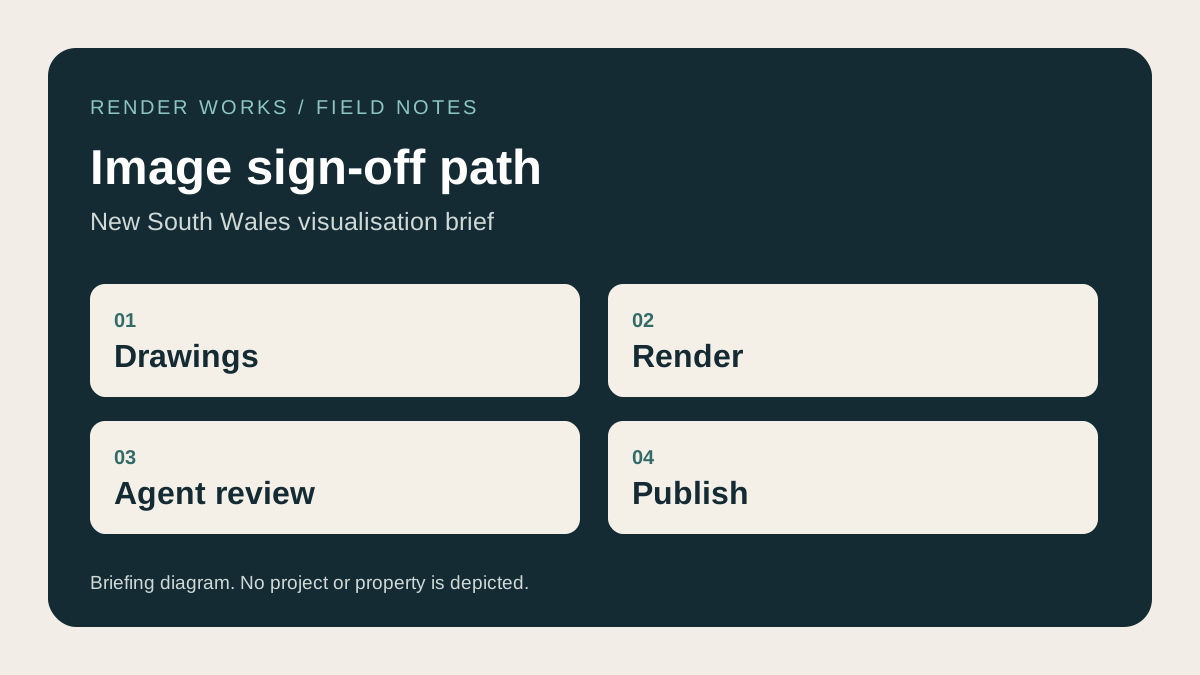
Check every image against the current design and the words that will appear beside it. The developer, agent and visualisation studio should agree which features are fixed, which are indicative and which apartment or stage the image represents. Keep that decision with the approved file so a later drawing change does not leave old imagery in a live campaign.
Why does the review need to include the agent?
NSW guidance for property agents says property photographs used in advertising must be accurate, clearly labelled and not misleading. The ACCC's guidance on misleading claims also covers images and descriptions. The project team should check the whole impression a buyer receives, including the crop and caption. A small note cannot repair a misleading image.
What belongs on the image sign-off sheet?
| Check | Reviewer and evidence |
|---|---|
| Building form, openings and levels | Architect against current drawings |
| Materials, fixtures and landscaping | Developer or designer against selected schedules |
| Apartment or stage represented | Developer and agent against the release plan |
| Outlook and surrounding context | Site team against survey, photographs and camera record |
| Indicative furniture, fitout or future works | Agent and developer against the proposed caption |
| Final crop for each channel | Marketer checks the buyer's likely impression at display size |
Write the drawing revision and image version at the top of the sheet. If the plan changes, identify affected views and stop using superseded exports. A reviewable file name such as project_view_unit_version_date is more useful than a folder of competing “final” files.
How do you check the crop and caption together?
Look at the final placement, not just the full-resolution render. A square portal thumbnail can remove a neighbouring building or hide the boundary that gives the scene scale. A caption can also turn a representative interior into an apparent promise for a specific unit. Open the website, brochure or listing draft at its real display size and review image plus text as one item.
The Australian property-portal guide deals with export and crop requirements. This checklist deals with factual approval. Our architectural render approval checklist covers visual review during production, before the agent's final publishing pass.
Who owns the final sign-off?
Name one person on the developer side to consolidate comments, then have the architect and agent review the items within their responsibility. Keep a dated approval record and the exact exports sent to each channel. If the advertising or contractual implications are unclear, the project team should obtain its own professional advice before release.
Frequently asked questions
Is an "artist's impression" label enough on its own?
The overall image and caption still need review. The label does not fix a view that shows an unapproved feature or gives the wrong impression of a specific home.
Should we review every social crop separately?
Yes, when the crop changes what is visible. Check the final context and text for each placement, especially if a boundary or neighbouring building disappears.
What can Render Works supply for review?
We can provide the agreed views and revision files for the developer and agent to check against their current documents. Tell us the intended placements at the start of the brief.

Plan an accurate image set
Tell us which homes, finishes and placements the campaign will show so the review process can start with the right drawings.
Discuss your project