Australian developers
Architectural renders for Australian property developers
Last updated
Architectural renders give Australian property developers a way to show a proposed home before construction. A useful set explains the exterior, living spaces, finishes and site setting, with images selected for the sales campaign. Render Works produces those visuals from project drawings, alongside cinematic video, development websites and marketing collateral.
What should a developer commission first?
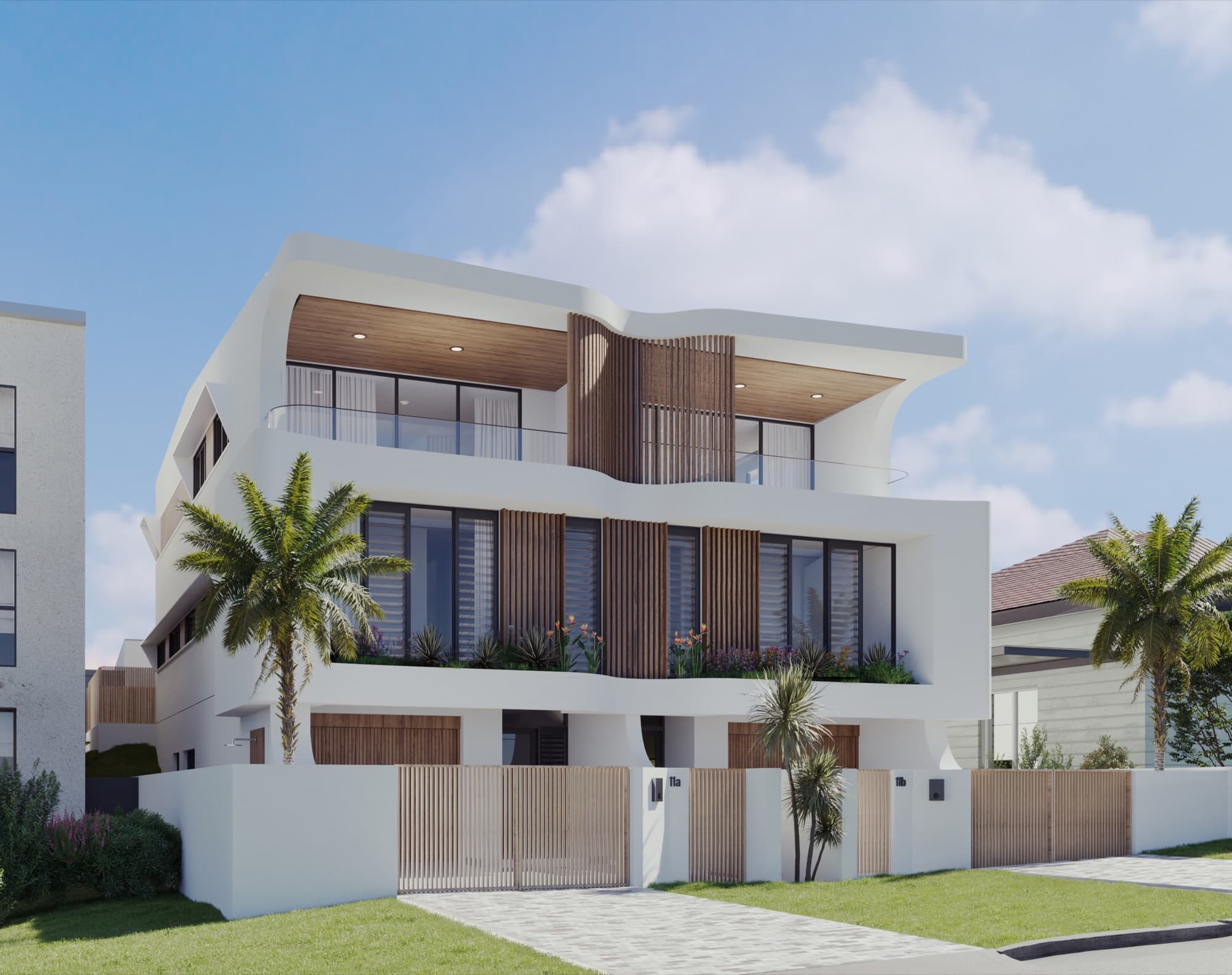
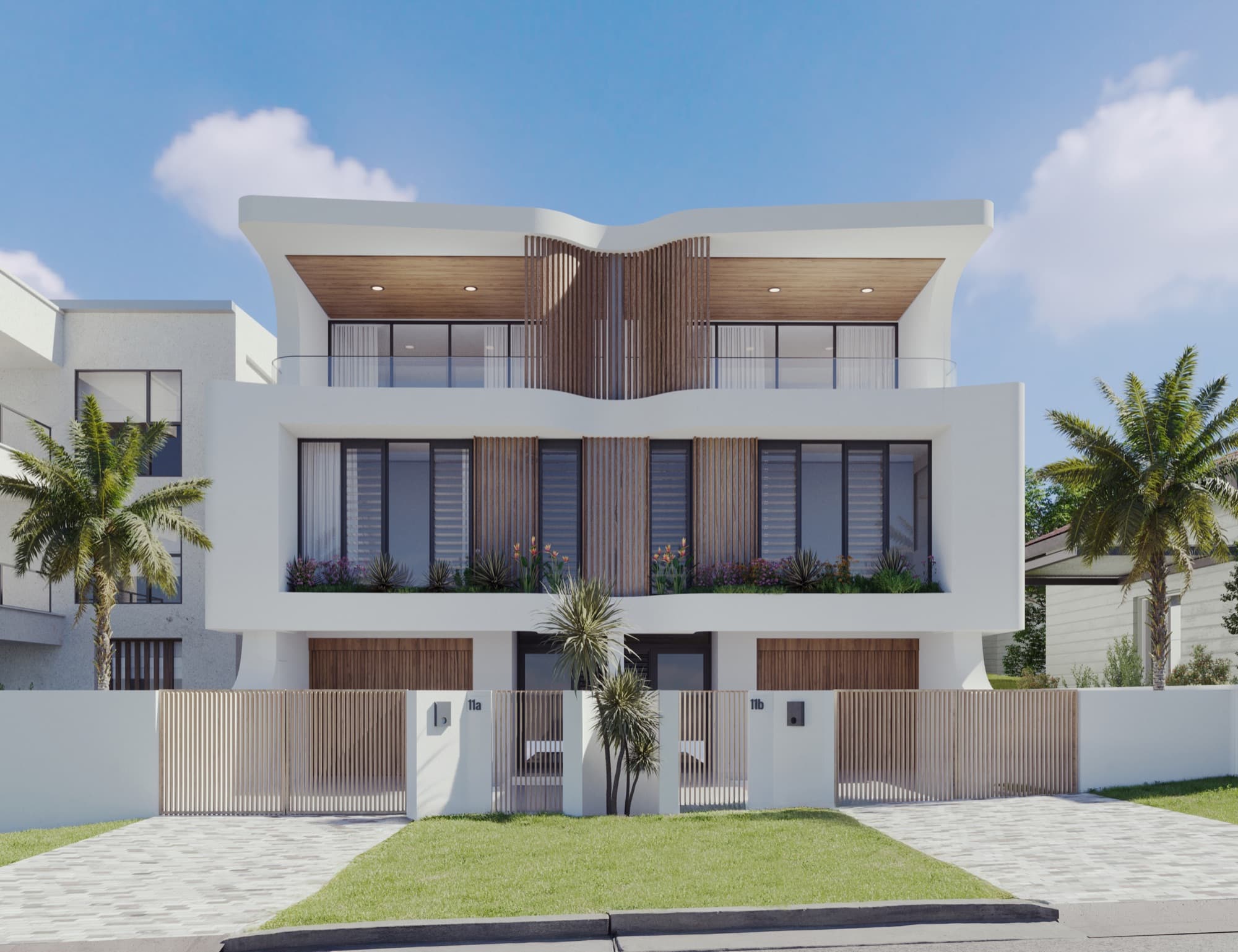
Start with the questions your sales team needs the images to answer. A street view explains the development's appearance and address. An interior shows how the kitchen, dining and living areas relate. An aerial can explain a larger site, access or the position of individual homes.
A shot list is more useful than a request for a large number of renders. Write down the purpose of each view, the home or layout it represents, and where it will appear. Your agent can then identify anything a buyer is likely to ask that the set does not yet explain.
| Buyer question | Useful visual |
|---|---|
| What will the home look like from the street? | Exterior showing the entrance, facade and landscape design |
| How do the living spaces connect? | Interior showing the kitchen, dining area and lounge together |
| What is included in the finish? | Close views of the specified joinery, surfaces and fittings |
| Where does this home sit within the project? | Site plan or aerial with clearly identified dwellings |
| How do I move through the home? | Walkthrough video supported by a readable floor plan |
For smaller projects, the townhouse and duplex shot-list guide helps turn those questions into a brief.
What does an Australian project look like in practice?
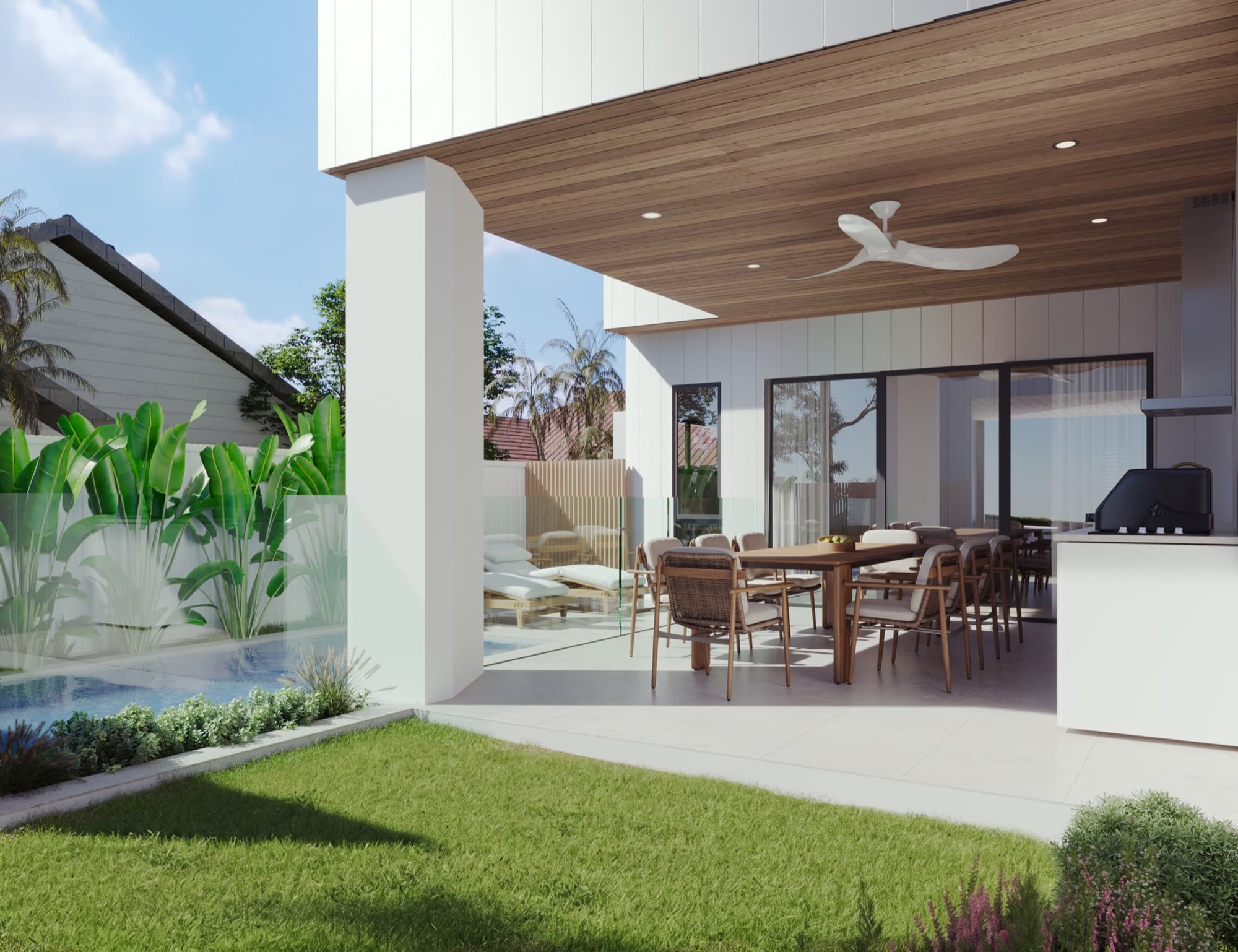
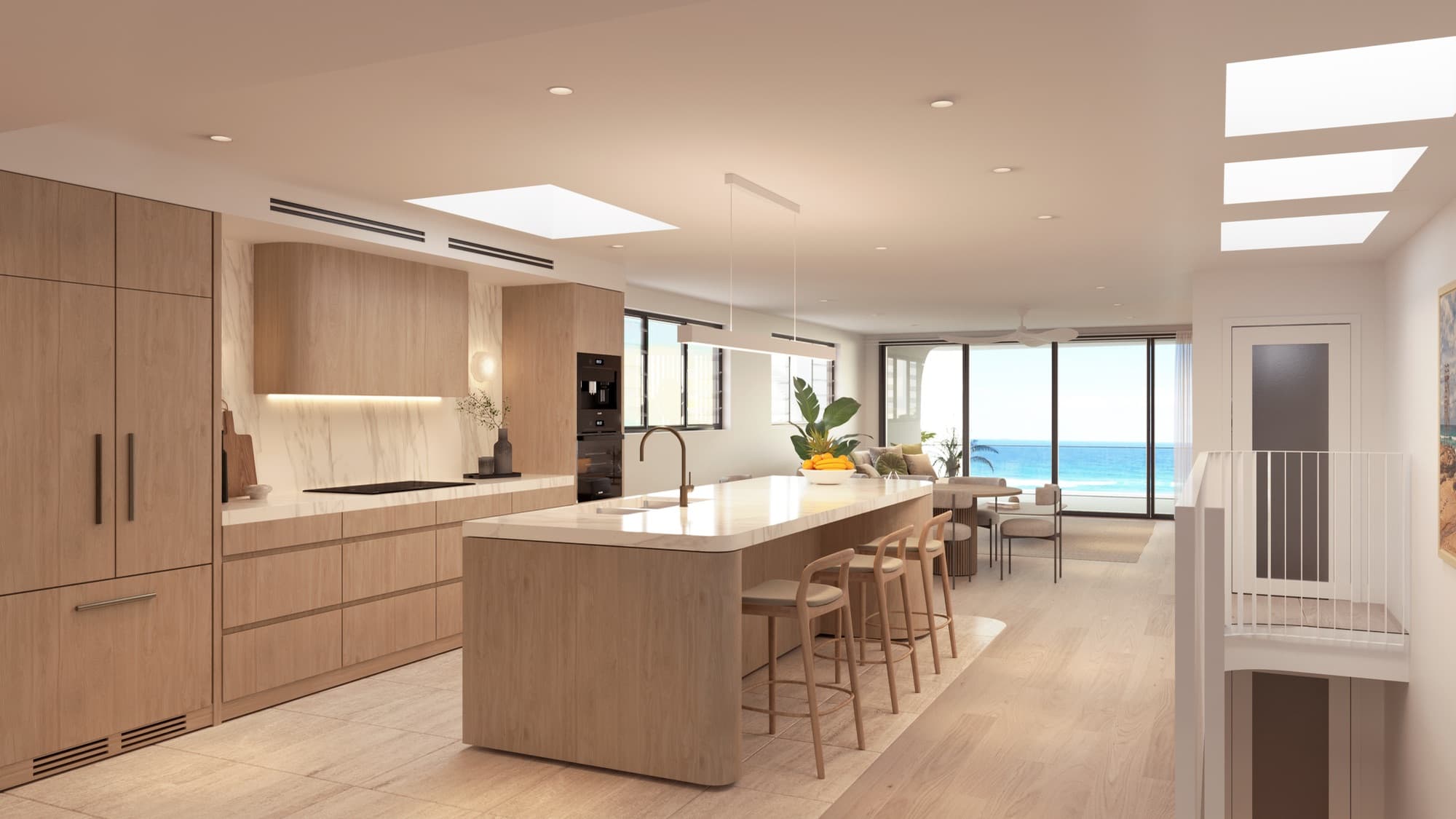
For Soleil in Redhead, NSW, Render Works produced exterior and interior renders, an alfresco view, an aerial and a cinematic build-up video for JPMH Properties. The set gives the campaign several ways to explain the same development, from the kitchen finishes to the position of the homes among neighbouring rooftops.
The detail came from the developer's selections. The kitchen joinery, outdoor tiles, driveway bricks and bathroom fittings were reviewed against those references. Supplying the actual finish schedule makes that level of consistency possible.
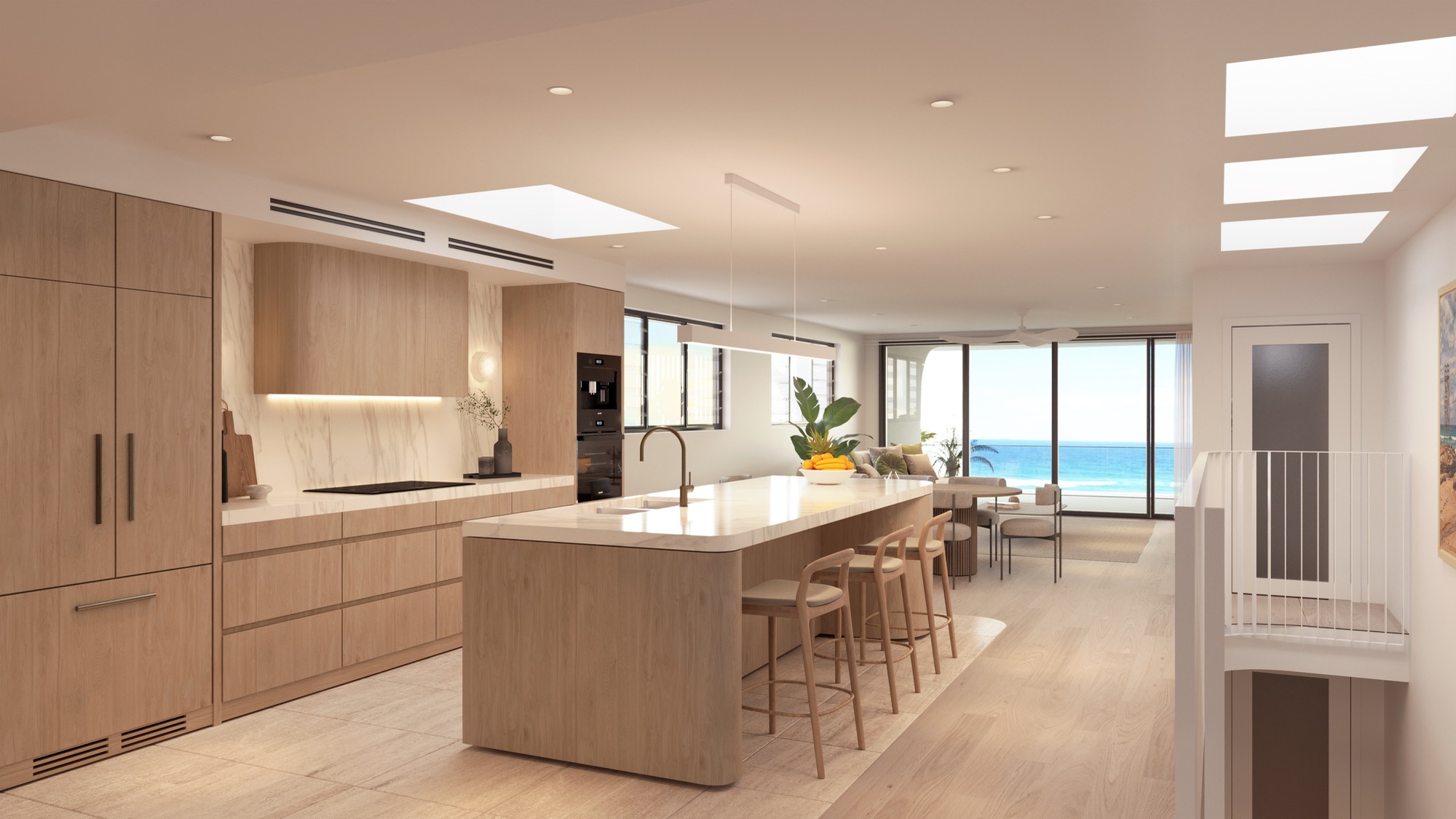
Our Australian work also includes Gold Coast development imagery. Each project needs its own cameras and setting; a coastal home and a suburban townhouse row should not be presented as interchangeable products.
What files should you send to the render studio?
Send the current architectural drawings and enough specification information to identify what will be built. A usable briefing pack includes:
- Site plan, floor plans, elevations and sections with revision numbers.
- The available 3D model and its originating software, if there is one.
- External materials, landscape plans and boundary treatments.
- Interior finishes, joinery drawings and selected fittings.
- Site photographs, plus drone photography if a photomontage is required.
- The intended audience, preferred views and campaign channels.
Mark undecided items clearly. A reference photograph can establish a mood, but the selected material or fitting should determine the final image. Keep one person responsible for consolidating comments so that the architect, developer and agent are reviewing the same version.
The full render-project input checklist covers the drawing and reference pack in more detail.
How do the images fit an Australian sales campaign?
Plan the output around the places a buyer will encounter it: property portals, the development website, agent presentations, brochures, site signage and social media. These placements need different crops, layouts and file sizes. Give the studio the intended uses before the cameras are finalised.
Domain offers project advertising for builders and developers. Your sales agent can confirm the listing package and current upload requirements; the render brief should record the assets needed for it.
For the wider campaign, use the Australian off-the-plan launch checklist. It connects the images to the copy, plans and enquiry routes that also need to be ready.
How do you keep the campaign consistent?
Use one approved set of project information across every supplier. The website, brochure, film and portal listings should agree on residence names, finishes and the current design. When a material changes, record which renders and documents need an update before issuing the next campaign set.
Render Works can prepare the stills, cinematic video, website and marketing assets around that shared visual direction. Agree the required deliverables at the start so the project team knows what it will receive.
Frequently asked questions
Do you work with developers across Australia?
Yes. Render Works works with Australian developers through an online briefing and review process. Existing Australian work includes Soleil in Redhead, NSW, and development imagery on the Gold Coast.
Do we need a finished 3D model before requesting renders?
You can send the architectural drawings and explain which model files are available. The studio can assess the material and identify any additional information needed to prepare the scenes.
Can the same renders be used on a website and in a brochure?
Yes, when the output is prepared for both uses. Include the website placements, print dimensions and cropping requirements in the brief so the delivered files suit the campaign.
Can you produce the website and video as well as the renders?
Render Works offers architectural renders, cinematic video, development websites and marketing collateral. The project scope should identify which of those assets your campaign needs.

Planning an Australian development?
Send your plans and tell us how you intend to launch. We will help define the views and campaign assets your project needs.
Discuss your project