Australian developers
How to choose the hero render for an off-the-plan campaign
The hero render is the image that introduces the development in a particular placement. Choose it by asking what the buyer needs to understand first, then check whether the image communicates that clearly at the size and crop where it will appear. A street view, an aerial, a living room and a courtyard can all lead a campaign, but they answer different questions.
For an Australian off-the-plan project, start with the approved design and the actual sales brief. Avoid choosing solely because a view looks dramatic on a large studio screen. The lead image also needs to work as a small listing thumbnail, a website opening or a brochure cover, depending on its intended use.
What does each type of hero image communicate?
| Candidate | What it can introduce | What to check |
|---|---|---|
| Street frontage | Architectural identity, arrival and the relationship to the street. | Entry visibility, neighbouring context and how much facade survives the crop. |
| Aerial | Site arrangement, building relationships and surrounding context. | Whether the project remains identifiable at a small size. |
| Interior | The main living experience, material direction and room connections. | Furniture scale, view accuracy and whether the room is distinct to the project. |
| Courtyard or alfresco | Outdoor living, privacy and the connection to the home. | Whether the image makes the broader property understandable. |
There is no universal winning type. A strong street image may introduce a townhouse project well, while a particular outdoor space could be the most useful opening for another development. State the reason for the choice in a sentence the agent and designer can both understand.
Start with the buyer question
Write down the question the opening image should answer. “What will these homes look like from the street?” leads to a different brief from “How does the living room connect to the terrace?” The first needs enough facade and streetscape; the second needs a camera that shows the relevant spatial relationship.
Then identify what the image must include. For a frontage, that might be the entry, upper-level form and boundary treatment. For an interior, it could be the kitchen, dining area and garden connection. Keep this list short enough that one camera can reasonably communicate it.
If the brief asks one image to show the entire development, every room and the distant coastline, the answer may be a sequence of images. Our townhouse and duplex shot-list guide helps plan the complete set. Hero selection is the separate task of choosing which view opens each placement.
Example: frontage versus courtyard at Dudley Avenue
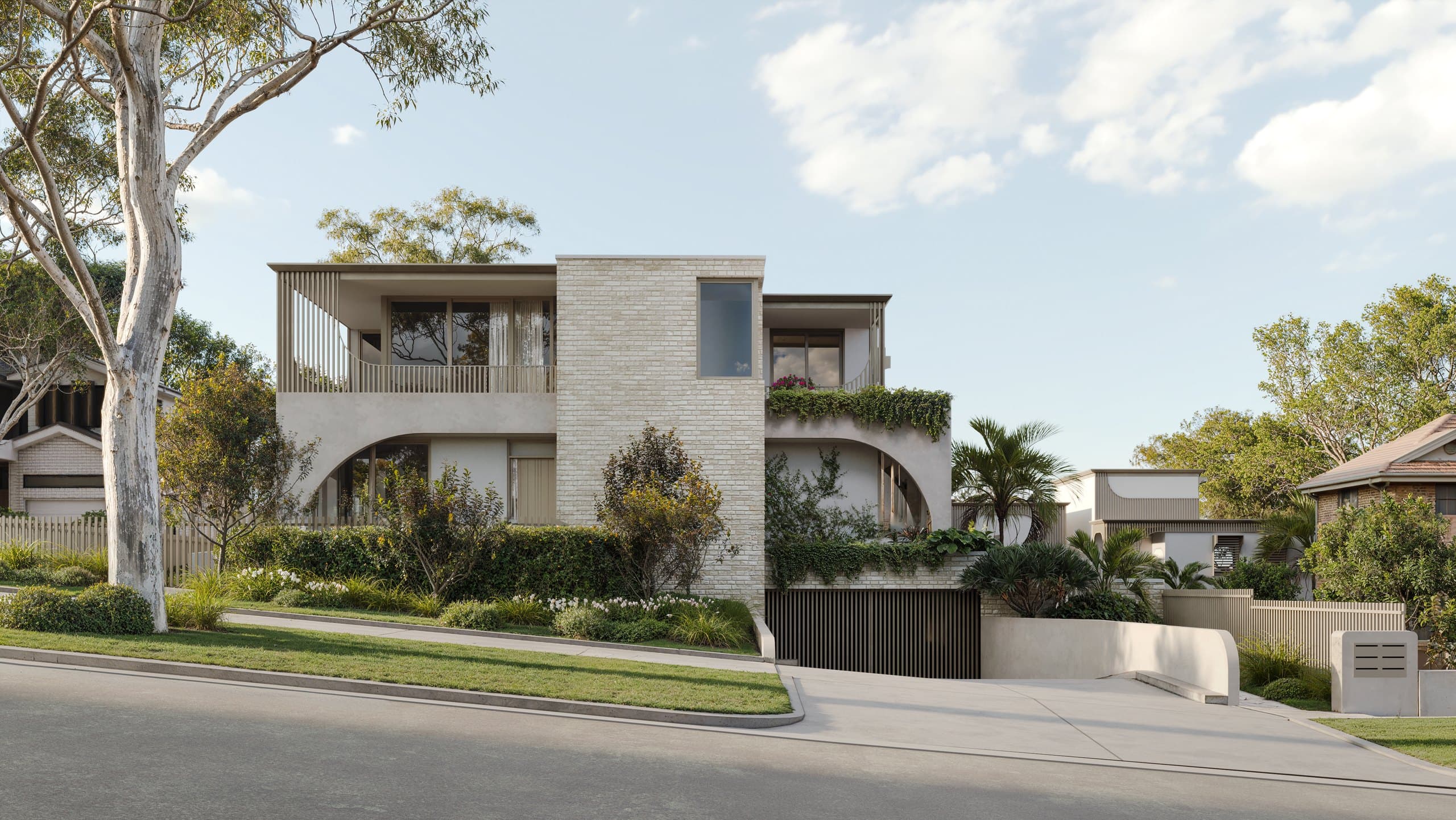
Dudley Avenue in Caringbah, Sydney has a street view that makes the architectural form and arrival legible. Light masonry, curved openings and balcony screening read together, with the verge and street giving the building context. That makes it a useful candidate when the opening needs to introduce the development's exterior identity.
The pool courtyard shows another aspect of the same project. It explains the private outdoor space and its relationship to the glazing and planting. Used first, it puts the emphasis on the experience behind the frontage. Used later, it adds information after the street image has established the building.
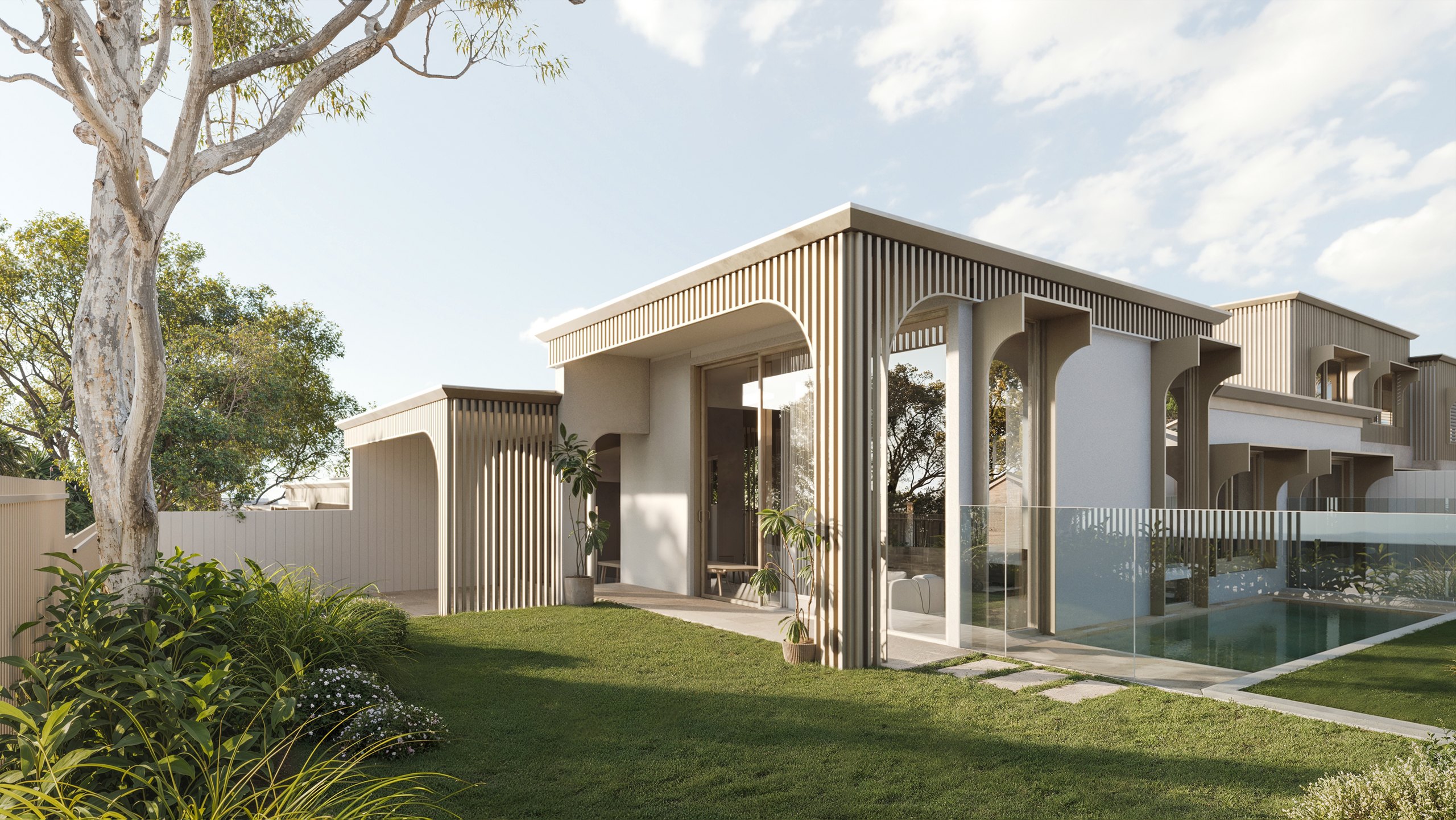
This is a comparison of what the images show. It is not evidence that one produced more clicks or sales. The useful choice depends on the placement and the campaign brief.
Example: an aerial at Soleil
The Soleil project in Redhead, NSW includes an aerial that places the proposed homes among the surrounding rooftops. It can help establish the development's setting and the relationship between the buildings. That context is information a close kitchen view cannot provide.
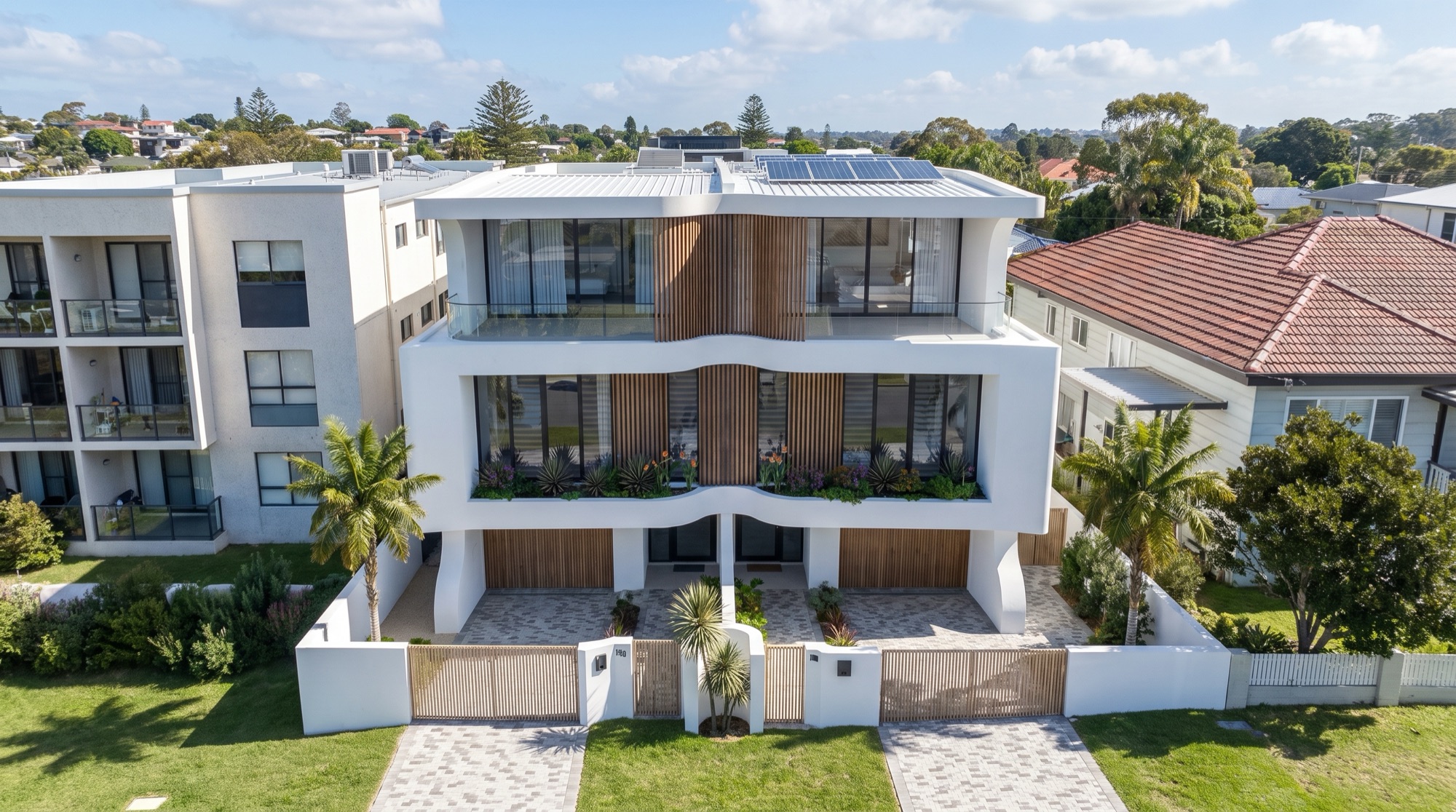
An aerial also asks more of a small thumbnail. If the project occupies only a small part of the frame, buyers may notice the neighbourhood without understanding which building is being offered. Test that before choosing it as the lead listing image. A wider context view can still be valuable later in the gallery or within a project introduction.
Compare candidate views at the intended size
Put the candidates into a simple mock-up of the actual destination. Use the proposed headline, navigation or brochure trim where relevant. Compare the images at the same size, with consistent treatment, so a large presentation image does not win merely because it occupies more space.
For a listing, reduce the candidates to thumbnail size. For a website, check both the wide desktop layout and the narrower mobile version. For print, review the cover at the planned dimensions with the graphic designer. The image should support the layout without sacrificing the feature it was chosen to show.
Ask a colleague unfamiliar with the camera choices what they notice first. This is a practical clarity check, not a formal conversion study. If they cannot identify the subject or misunderstand the space, review the framing before polishing minor details.
Protect the building when planning crops
A hero crop should retain the parts of the scene that explain the project. On an exterior, check the roofline, entries, corners and landscape boundary. On an interior, look at the edges of furniture and the openings that explain room connections. A crop can look balanced while removing the very feature the brief requires.
Leave intentional space for text where the design needs it. Tell the studio where the headline or logo will sit, rather than placing text over the most detailed part of an already approved image. Keep a clean image master for destinations that have different overlay rules.
If desktop and mobile layouts use very different shapes, agree separate crops or camera framing. Do not stretch the image to fit. The portal delivery guide covers the distinction between the approved master and destination-specific exports.
Choose lighting that explains the selected features
Review whether the lighting makes important materials and forms readable. A daylight view may show facade detail clearly, while an evening view can emphasise internal light and outdoor atmosphere. Neither treatment is automatically the right lead for every project.
Look for areas that become difficult to understand. Deep shadow may conceal an entry; glare can obscure a view through glazing; very warm light can make different materials look similar. Ask for feedback against the specific feature, such as the balcony depth or cladding texture, rather than a general request to make everything brighter.
Keep the lighting choice consistent with the campaign's other images where they are intended to describe one coherent project. A different time of day can be useful, but it should have a clear role in the sequence.
Check accuracy before choosing the most attractive option
The selected hero will often receive the most attention from the project team and buyers. Review it against the current drawings and finishes. Confirm the visible dwelling type, boundary treatment, planting and installed features before judging only colour or composition.
If the hero uses a distant view, check the source information and what the camera position represents. If it shows furniture or a pool, confirm how those items relate to the proposal and campaign description. Do not let a visually appealing addition become an unexamined claim about the property.
Use the render approval checklist for the full review. A favourable reaction to the image is useful feedback, but it is not a substitute for checking the details that buyers will interpret.
Should every channel use the same hero?
A campaign benefits from recognisable imagery, but different placements can need different lead views. The project website may have room to introduce the facade and then a film. An individual residence listing may need to lead with a view specific to that home. A brochure cover may use a portrait composition that does not suit a portal gallery.
Document these choices in the delivery list. Name the image, crop and destination so the web designer, agent and print designer work from the same decision. Keep a common approved image set, with deliberate variations where they help explain the property.
The development website checklist covers how the opening image connects to plans, specifications and enquiries. The hero is the introduction to that information, not the whole sales explanation.
A practical selection meeting
Bring a small shortlist to one coordinated review. Have the person responsible for the design check accuracy, the agent assess the buyer question and the designer check the placement. Record the chosen view and any crop or finish changes before requesting the final export.
Use specific comments. “Keep the entry in the mobile crop” is actionable. “More premium” is much harder to translate into a camera or material decision. Where reviewers disagree, return to the purpose of the placement rather than combining every preference into one overloaded image.
After publishing, use the campaign's actual results to guide later choices. If you compare alternative lead images, keep track of other changes such as copy, price and advertising exposure. Without that context, a change in enquiry volume cannot confidently be attributed to the hero alone.
Frequently asked questions
Is the exterior always the best hero render?
No. It is a strong candidate when the campaign needs to establish architectural identity and arrival. An interior, aerial or outdoor view may better answer the opening question for a particular placement.
Can one image work for a website, brochure and portal?
Sometimes, with suitable crops and exports. Check all intended layouts before final approval. A portrait cover and a wide banner may require different framing to retain the same important features.
Should we choose the hero before commissioning renders?
Identify the intended lead view early so its framing supports the campaign. You can refine the decision during draft review, but the studio should know which placements and buyer questions matter from the beginning.
How many hero alternatives do we need?
Request enough to resolve a real choice about viewpoint or destination. Avoid treating minor duplicates as separate campaign needs. Agree the camera options and deliverables in the project scope.

Choose the views your campaign needs
Share the plans, intended placements and features you want buyers to understand first.
Discuss your project