Australian developers
How to brief drone photography for a development photomontage in Australia
Brief the rendering studio and drone operator together before the shoot. The studio needs a photograph whose camera position, framing and light can support the proposed building. The operator needs the site, intended views and enough information to assess whether the flight can be carried out safely and with the necessary permissions. A photograph that looks impressive on its own may still be unsuitable for the montage.
For an Australian property development, begin with the purpose of the final image. A broad marketing aerial and an image prepared for a planning assessment can need different viewpoints, evidence and review. Agree that purpose before choosing a camera position or booking a shoot.
What is a development photomontage?
A development photomontage combines an image of the existing setting with a visual representation of the proposed project. The rendering work needs to align the proposed building with the photograph's perspective, position and lighting so viewers can understand it within the surrounding context.
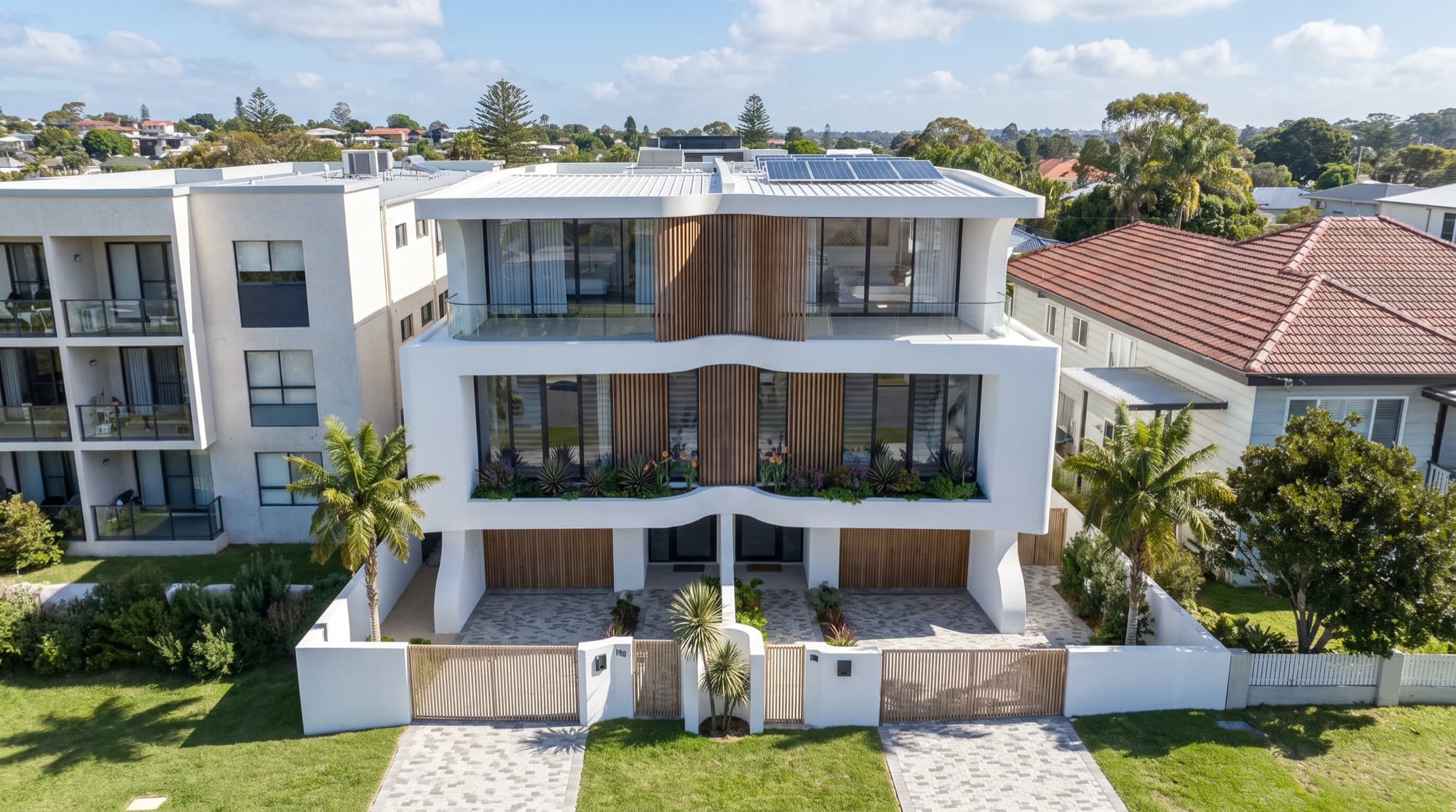
The Soleil project in Redhead, NSW includes a finished aerial placing the proposed homes among the existing rooftops. It illustrates the kind of context a montage can communicate. The image shown here is the finished project output, not a raw drone photograph or a record of the original flight settings.
If the image is required for a development application, agree the method and evidence with the relevant planning team. Our NSW DA photomontage and marketing-render comparison explains why the same production brief should not be assumed to serve both purposes.
Decide what the image must show
Write a short purpose statement before drawing arrows on a map. For example, the final image may need to explain the relationship between several proposed dwellings and the street. Another brief may need to show the site within a wider neighbourhood. Those needs lead to different framing and levels of detail.
Identify the proposed building envelope, important surrounding features and the intended crop. Leave enough space for the completed project to appear without being cut off. A photograph of an empty site can look well composed even though the future upper floors would extend beyond the frame.
Ask the studio whether it can provide a rough view or marked-up plan for the operator to assess. Treat that as a visual target, subject to the operator's flight assessment. The creative brief does not determine what is safe or permitted to fly.
What should go into the pre-shoot brief?
| Item | What to supply or agree |
|---|---|
| Site identification | Address, site boundary, orientation and a marked plan. |
| Proposed development | Current site plan, elevations, levels and available model information. |
| Purpose | Marketing, project presentation or a defined planning requirement. |
| Target composition | A view sketch showing the building and context that must remain in frame. |
| Intended output | Destination, image shape and expected final resolution. |
| Site access | Relevant contact, access arrangements and known site activity. |
| Light and weather | Visual preference, acceptable alternatives and rescheduling process. |
| File handover | Original files, metadata and supporting view records requested by the studio. |
| Review contact | Who can review a candidate frame or resolve a question during the shoot. |
Send the same version to the operator and studio. If the target view changes, update both. A revised elevation or extra storey can affect how much space the photograph needs above the site, even if the address and flight date remain the same.
Who decides whether the drone flight can proceed?
The operator must assess the proposed operation and applicable requirements. Ask them to confirm the registration, accreditation, licences, certificates and authorisations relevant to the work, rather than assuming that every commercial photography job requires an identical set of credentials.
CASA distinguishes micro and excluded-category operations from other operations. Its guidance explains circumstances where a remote pilot licence is not required, alongside the requirements that still apply. The developer should ask the operator to identify the basis on which they will conduct this particular shoot. CASA remote pilot licence guidance.
Have the operator check the proposed location and current conditions using appropriate planning information. CASA's verified-app guidance also says to check local, state and territory rules, including those for parks and protected areas. An app is guidance, not a blanket permission to fly. CASA drone safety apps.
Record who will arrange any necessary site access or filming permissions and ask about insurance appropriate to the work. For a Sydney site, do not assume a flight is available simply because the property owner has agreed to photography. The operator's assessment needs to cover the actual location and operation.
Coordinate camera position and lens information
The studio needs enough information to align the proposed building with the photograph. Ask what records it requires before the shoot, including camera and lens details, original metadata and the agreed reference points. Where position or orientation records are available, retain them with the relevant image files.
The operator and studio should agree how the proposed viewpoint will be described. An altitude value alone is incomplete if its reference is unclear. Likewise, a location pin does not fully describe the camera direction or framing. Record the relevant reference system and measurement method where the work requires it.
For planning work, the required evidence may be more specific. Have the responsible professional define it before capture. Do not represent ordinary image metadata or a marketing sketch as a surveyed or verified viewpoint record.
Photograph enough context to align the proposal
Useful reference features can include existing building corners, road edges and other stable elements identifiable in the project information. The studio can explain what it needs to align the scene. Avoid cropping away those features before the original files reach the team.
Check that the proposed building has room within the frame. A composition that centres the empty site too tightly may leave no room for the final roofline. It may also make a later banner crop impractical. Agree the preferred view and reasonable alternatives while the operator can still assess them.
The operator remains responsible for choosing safe capture methods and positions. If the desired framing is not feasible, revise the visual brief with the studio. A different view, a ground-level photograph or a fully modelled context image may be more suitable for the intended purpose.
Plan the light and weather with the studio
The photograph establishes the light in the existing surroundings. Ask the studio what conditions would suit the proposed view, then coordinate with the operator's practical and safety assessment. Strong shadows, flat light and changing cloud can each affect how the proposed architecture will be integrated.
Provide the date and time associated with the files, and retain consistent information across the candidate views. If the studio is matching a specific lighting direction, a heavily edited reference can make that task harder. Send the original capture as well as any processed preview the operator supplies.
Agree what happens if the conditions are unsuitable. The brief should identify who can decide whether a different view is acceptable or a reshoot needs discussion. Do not leave the operator to guess whether the campaign can use a substantially different composition.
What files should the operator deliver?
Agree the handover before the shoot. Ask for the original full-resolution photographs, retained metadata and any available RAW files where the studio has requested them. Include processed previews as separate files rather than replacing the originals. Confirm the permitted use of the photography in the final composite and campaign.
Use filenames or a contact sheet that connect each candidate image to its view reference. Preserve the sequence so the studio can compare nearby frames and choose the one that best supports the proposed building. Avoid using images forwarded through messaging apps as the only source, since those copies may be compressed or stripped of useful information.
State whether the photographs have been stitched, lens-corrected, cropped or otherwise processed. Those changes can affect perspective matching. The studio may prefer a particular source or need the unprocessed frame to understand the transformation.
Review the composite against the brief
Once the proposed building is placed into the photograph, check the building position, scale and relationship to the site. Confirm that the selected drawing revision controls the geometry. Review the roofline, ground connection and visible neighbouring context before concentrating on colour and atmosphere.
Check the transitions between the rendered and photographed areas. Roads, boundaries, vegetation and shadows should make spatial sense. Where existing elements are removed or changed to depict the proposal, identify that treatment during review and confirm it with the project team.
For a marketing image, ensure the accompanying description explains what viewers are seeing. For a planning image, follow the agreed method and review requirements. The architectural render approval checklist is useful for coordinating visual comments, but it does not establish a planning authority's evidence requirements.
A short brief you can adapt
We need an aerial photomontage showing the proposed development within its surrounding street and roofscape. The attached plan identifies the site and the features to retain in frame. Please coordinate the target view with the rendering studio before capture, assess the operation and required permissions, and confirm the original files and view records you can supply. Any alternative composition should be reviewed against the proposed building before the shoot is finalised.
Add the actual project documents, contact details and destination to this example. It is a starting point for coordination, not an instruction to fly from a particular position or a substitute for the operator's assessment.
Frequently asked questions
Can we commission the drone photographs before choosing a rendering studio?
You can, but the photographs may not suit the intended composite. Involve the studio early enough to specify the view, framing and source information it needs. This reduces uncertainty about whether the captured images are usable.
Is the highest or widest aerial always the best?
No. Choose the view around the information the final image must communicate and the operation the operator can safely undertake. A broad aerial can lose the building's detail, while a closer view may omit necessary context.
Can existing drone photographs be used?
Ask the studio to assess the originals, metadata, date, framing and usage rights. Existing images may be suitable, but a compressed preview alone is not enough to establish that the perspective and resolution will work.
Does a photomontage show the exact view from an apartment?
Not automatically. A broad marketing aerial and a view from a defined apartment position are different briefs. Specify the viewpoint and verification requirements with the relevant project professionals before capture.

Plan the photomontage before the shoot
Share the site information and intended image so we can identify what the visualisation brief needs.
Discuss your project